

Want to save a private Facebook video to your device but can’t figure out how despite trying everything? Unlike public videos, private videos are usually restricted, so many standard video download tools don’t support them. This leaves many people confused when they want to preserve important moments or videos from private groups. The good news is there’s still a simple way to download them quickly on both mobile and computer. In this article, I’ll provide detailed instructions to help you do it easily.
Can You Save Private Facebook Videos to Your Device?
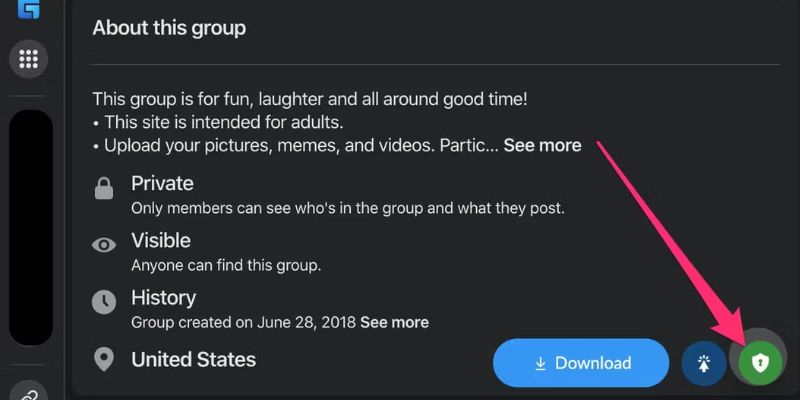
Currently, most standard Facebook video download tools don’t allow you to save private videos to your device. Most of these videos are shared in private groups or fan pages with limited access permissions and can’t be downloaded directly. This creates the misconception that downloading private Facebook videos is impossible.
However, there is still a way to save private Facebook videos to your device by using specialized tools like Fsave.io. Unlike common video download platforms, Fsave supports downloading high-quality private videos from all sources including private fan pages or videos shared by friends with limited visibility.
How to Save Private Facebook Videos to Your Device
Fsave.io is considered a very useful way to save private Facebook videos to your device. Thanks to its page source code analysis mechanism, Fsave can extract the original URL of videos in private groups, private fan pages, or personal timelines. The result is a video file with full audio and high resolution downloaded directly to your phone.
Fsave is completely free. The site only displays a few light ads to maintain the server. However, before starting, make sure you have permission to view the video, have joined the group, or are already friends. If the video displays normally in your browser, Fsave will be able to download it.
Step 1: Identify and Copy the Original Link of the Private Facebook Video
This is the first and most important step. For Fsave.io to work correctly, you need to copy the correct link leading to the original page of the private video.
- Access Facebook using a browser on your computer. Fsave recommends using Chrome or Firefox for easier operation.
- Find the post containing the video you want to save. If it’s a video in a private group, private fan page, or personal page, you still need to make sure you have permission to view that video.
- Don’t click the play icon immediately. Instead, click on the post timestamp (e.g., “2 hours ago”, “Friday at 7:00 PM”…) to open the video in a separate page, not in a popup player.
- When the dedicated video page opens, look at the address bar in your browser and copy the entire URL link by pressing Ctrl + C or right-clicking and selecting copy.
Step 2: View and Copy the Video’s Source Code
This method for saving private Facebook videos to your device helps obtain the complete original HTML code of the page. This is the data that Fsave.io will analyze to extract the video from Facebook’s structure.
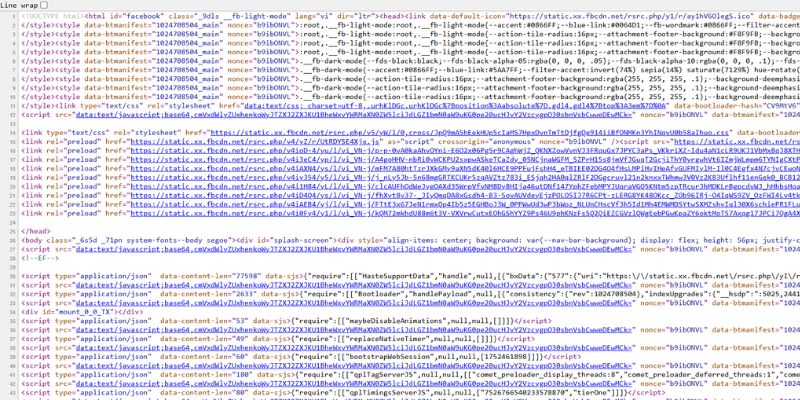
- Open a new tab, paste the private Facebook video URL you just copied into the address bar, and press Enter to load the page.
- Then, you need to enable page source view mode by right-clicking on any blank space on the page and selecting “view page source” or “view page source”.
- The browser will open a new tab containing the complete HTML source code of that private Facebook video page.
- In this browser tab, simply highlight all the source code and copy it to complete this step.
Step 3: Access Fsave.io
Now that you have the complete page source code, paste it into Fsave for the system to process and generate the video download link.
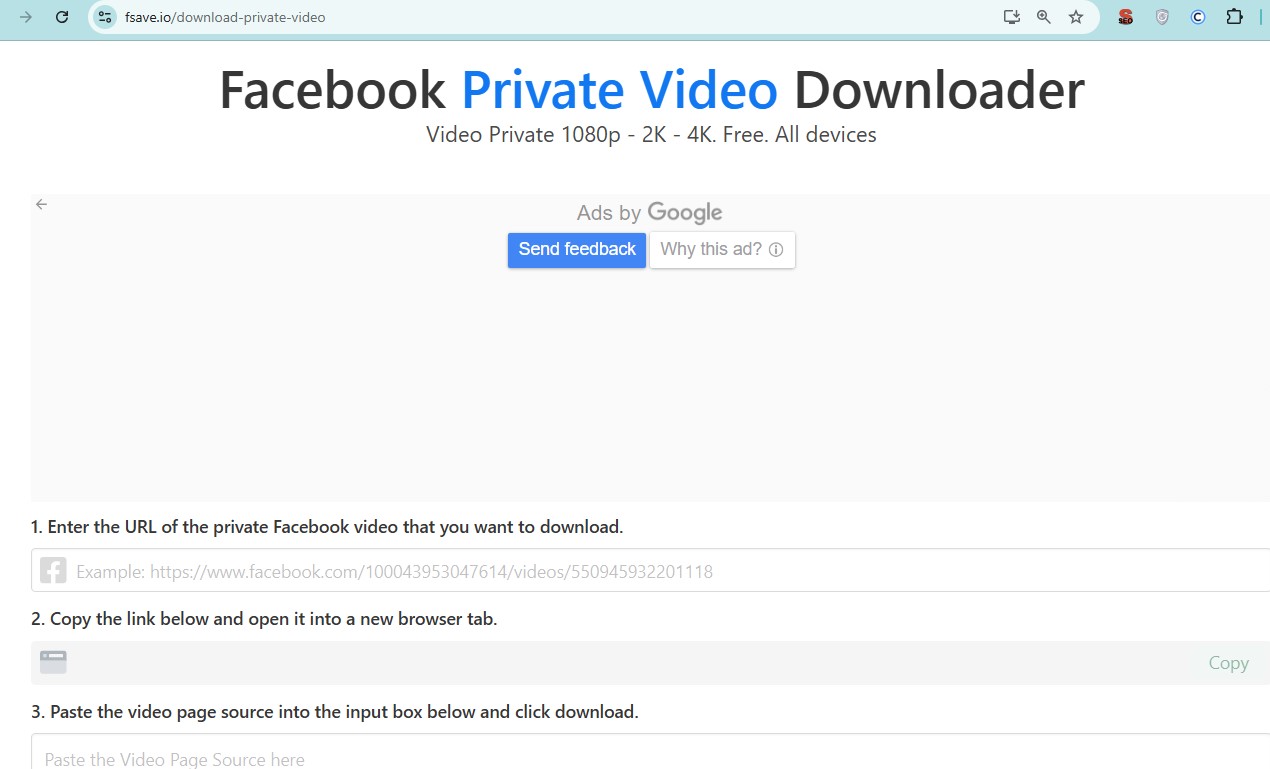
- Open a new tab in your browser and search for the address Fsave.io
- You’ll see a large box to paste the link into.
- Paste the entire HTML source code you just copied.
- After pasting, click the Download button to start analysis.
Step 4: Select Quality and Download
The next step in saving private Facebook videos to your device is selecting the download quality. Fsave.io will take a few seconds to process the data and display a list of video formats corresponding to different resolutions.
- Options usually include from low to high quality such as SD (480p), HD (720p), Full HD (1080p), 2K, or 4K, depending on the original video.
- Choose the quality that suits your needs and your device’s storage capacity.
- Click download next to your desired option.
- The browser will ask where to save the video or automatically save it to your computer’s Download folder.
Now you know how to save private Facebook videos to your device in just a few steps with Fsave.io. No longer limited by Facebook’s privacy restrictions, you can completely preserve any important videos on your device with high resolution, without needing to install anything or log in.


