

Do you have a Facebook video you want to share on YouTube, TikTok, or Reels but don’t know how? Reuploading isn’t simply downloading and reposting – you need to know how to process it to avoid copyright violations and maintain the best video quality. The good news is you can quickly download Facebook videos using tools like Fsave.io, then edit and add creative ideas to suit each platform. This article will share the detailed process with you.
How to Reupload Facebook Videos to Other Video Platforms
To smoothly reupload videos from Facebook to other platforms, you should follow clear step-by-step instructions. The first thing is to download the video to your device using a simple and quick support tool like Fsave.io.
Step 1: Download Facebook Video Using Fsave.io
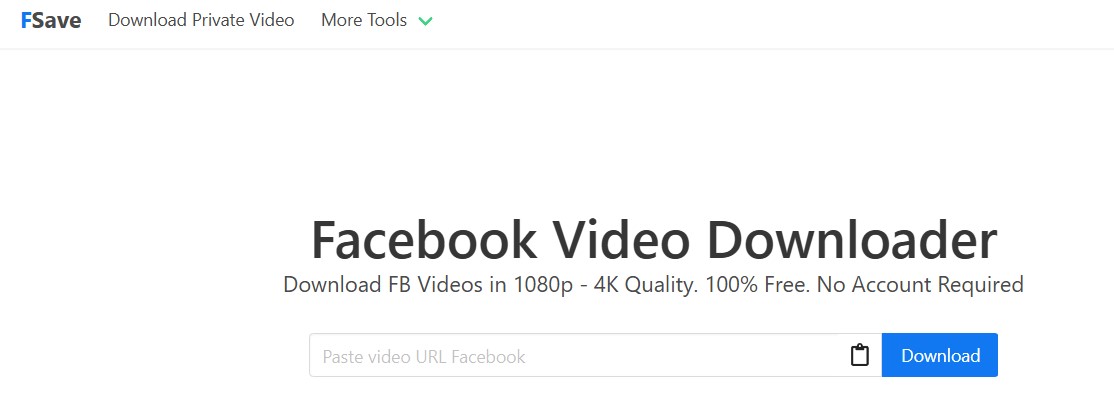
To reupload, you need a copy of the Facebook video on your device. Fsave is an ideal tool that helps you download Facebook videos quickly without needing an account.
- Access Facebook and copy the link of the video you want to download – just click on the three dots and copy.
- Open your browser on phone or computer, go to Fsave.io.
- Paste the video link into the input box and click the Download button.
- Select download quality like SD, HD, 2K, 4K and save the video to your device.
Read the complete guide: How to download Facebook videos to your device
Step 2: Edit Before Reuploading
After downloading, you shouldn’t repost the original video as-is. Most platforms have algorithms that detect duplicate content. If detected, the video may be removed. The goal of this step in how to reupload Facebook videos to other video platforms is to help it become a personalized product.
- Cut and splice video: Remove unnecessary parts or add new segments.
- Add intro or outro: Attach personal branding, video intro and ending outro to increase recognition.
- Add commentary and subtitles: This is an effective way to create new content from old sources.
- Insert effects: Help make videos more lively and attractive to viewers.
- Scene transitions or speed adjustments: Simple but still creates differences from the original.
Step 3: Upload to Other Video Platforms
After editing, the final step in how to reupload Facebook videos to other video platforms is choosing your desired platform like YouTube, TikTok, Instagram, or other video platforms.

- Optimize description: Write clear descriptions containing appropriate keywords and engaging content.
- Add relevant hashtags: Help videos be easily found in searches and appear on suggestion pages.
- Choose eye-catching thumbnails: Especially for YouTube, this is an important factor affecting click-through rates.
- Choose the right format: For example, TikTok and Instagram prefer vertical videos, while YouTube prefers horizontal videos.
Important Notes When Reuploading Facebook Videos to Other Platforms

How to reupload videos from Facebook to other video platforms like YouTube, TikTok, Instagram or other sites can help you expand your viewership. However, if you’re not careful, you can easily violate copyright policies or community guidelines of each platform:
Copyright Issues: When reuploading videos from Facebook to other platforms, the first thing you need to consider is copyright. If the original video belongs to someone else and is copyright protected, downloading and reposting without permission may cause you to violate the law.
Don’t Repost Originals: Reposting a video exactly like the original is most likely to be flagged for violation. Therefore, you should edit the video by cutting and splicing, adding voiceover, subtitles, background music or transition effects…
Review Guidelines: YouTube, TikTok, Instagram and other platforms all have their own policies regarding user-uploaded content. If you reupload without compliance, videos may be restricted from display, monetization disabled, or even removed.
Use Reputable Tools: When downloading videos from Facebook, use safe and stable tools like Fsave.io. Fsave not only supports downloading public videos but can also download private videos, videos from Reels or Stories in high quality.
Ask Permission: If you really want to reupload a particular video, try contacting the original video poster and asking for permission to reuse. Crediting sources and getting consent will help you avoid copyright risks in the future.
How to reupload Facebook videos to other video platforms can help you reach new audiences. Using Fsave.io to quickly download Facebook videos, then editing and creating additional content before uploading will help you avoid violations while creating real value for viewers.


